Explore Global Markets
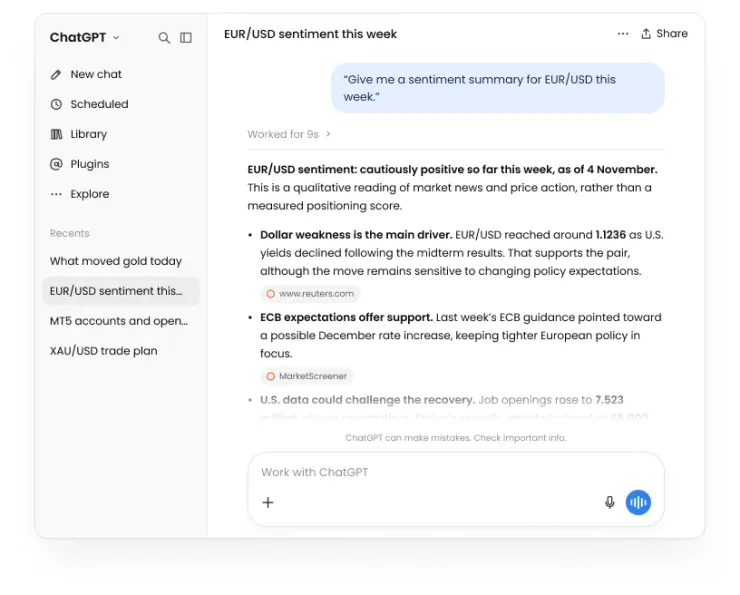
Get market summaries and sentiment across forex, indices, gold and other commodities.

Find DB Investing AI in ChatGPT, connect your DB Investing account and explore markets, analysis and trade plans in the same conversation. Coming soon to Claude.
Official
DB Investing Plugin
Secure
Account Connection
AI Assists.
You Decide.
24/5
Customer Support
Why Connect DB Investing AI?
Your research happens in one place. Your trading data sits in another. Every switch between them costs you time and context.
The DB Investing AI plugin brings DB Investing's AI tools into ChatGPT, with Claude coming soon, so you can ask about the markets and your own trading in the assistant you already use.
Inside your AI assistant
Access DB Investing AI without leaving your conversation.
Connect once
Link your DB Investing account during setup and start exploring.
Plain-English prompts
Ask questions the way you'd ask a colleague.
Same engine
Powered by the same DB Investing AI behind dbinvesting.ai.
What You Can Do
Each feature draws on live market data and, once connected, the context of your DB Investing account.
Get market summaries and sentiment across forex, indices, gold and other commodities.
Ask what moved a market, review the technical picture and follow up to go deeper.
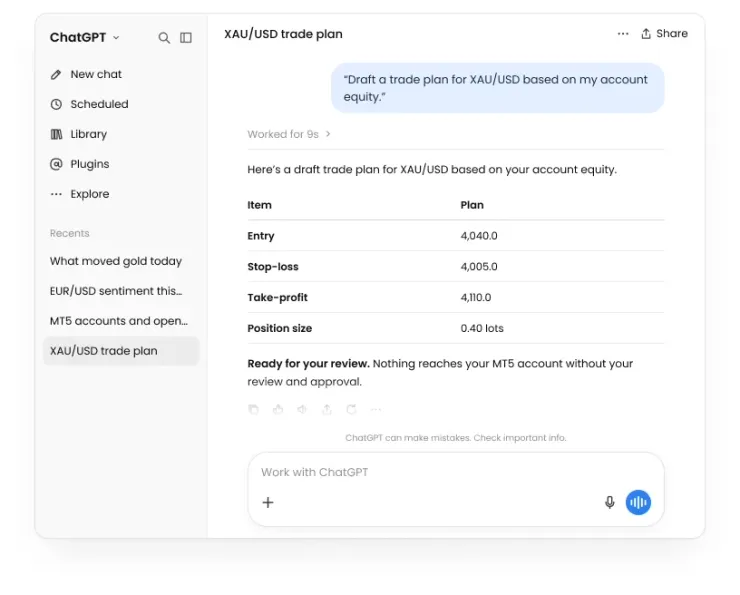
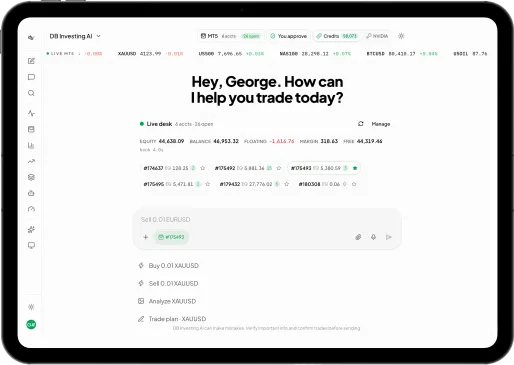
Build a structured plan with entry, stop-loss, take-profit and position sizing based on your account equity, ready for you to review.
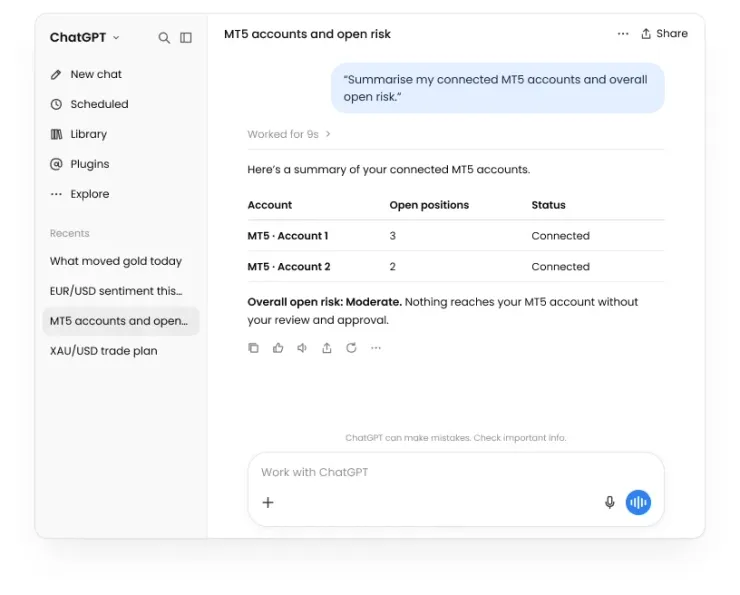
Summarise your connected MT5 accounts, open positions and your overall open risk in one view.
Example Prompts
Start with a question. Follow up for detail.
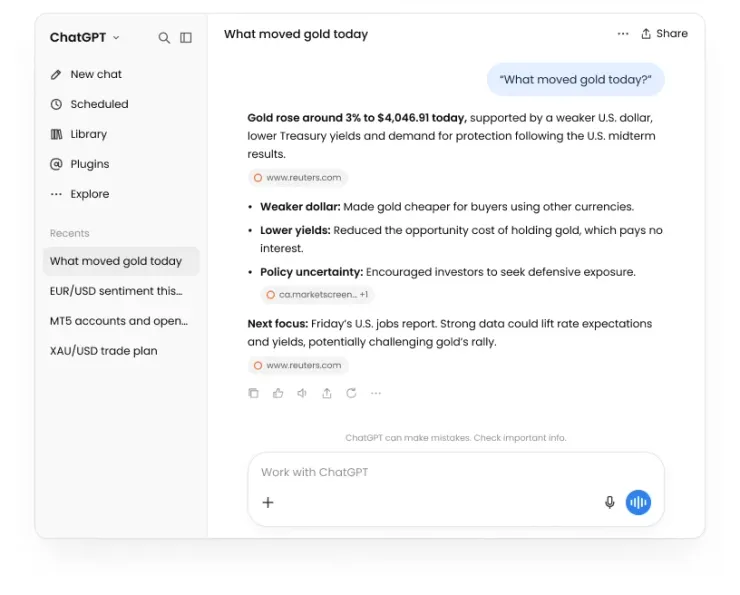
DB Investing AI in ChatGPT
You may be asked to reconnect from time to time for security.
Sign in to your ChatGPT account.
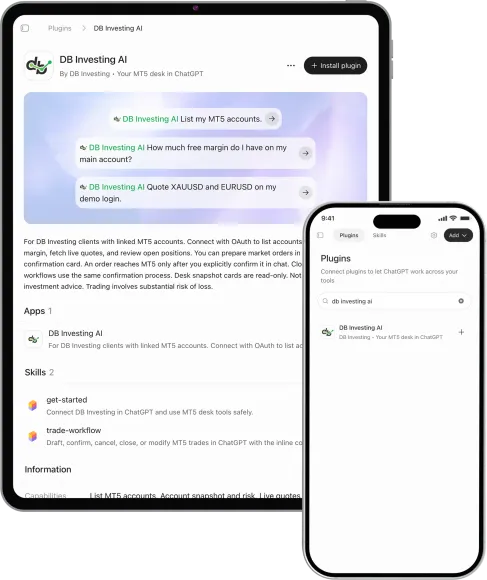
Go to Apps in ChatGPT, search for DB Investing AI and select it.
Sign in with your DB Investing credentials to connect your account. You do this once during setup.
Mention DB Investing AI in your chat, or select it from the tools menu, and ask your first question.
Security and Control
The plugin is built to give you access, not to take decisions away from you.
Secure sign-in:
You connect through DB Investing's own login. Your DB Investing password is not shared with ChatGPT or Claude.
You choose to connect:
Nothing is linked until you sign in and approve the connection.
Disconnect any time:
Remove the connection from your assistant's settings whenever you choose.
AI assists. You decide:
DB Investing AI proposes ideas and structures analysis. Nothing reaches your MT5 account without your review and approval.
Know the Limits
AI gives you faster access to information, not certainty. The plugin is designed to be clear about both.
Responses are informational and are not recommendations to buy or sell.
Analysis and trade plans describe possibilities, not outcomes. Past performance is not a reliable indicator of future results.
AI responses can be incomplete or wrong. Always check key figures before you act.
The plugin supports your research. The decision is always yours.
Before You Start
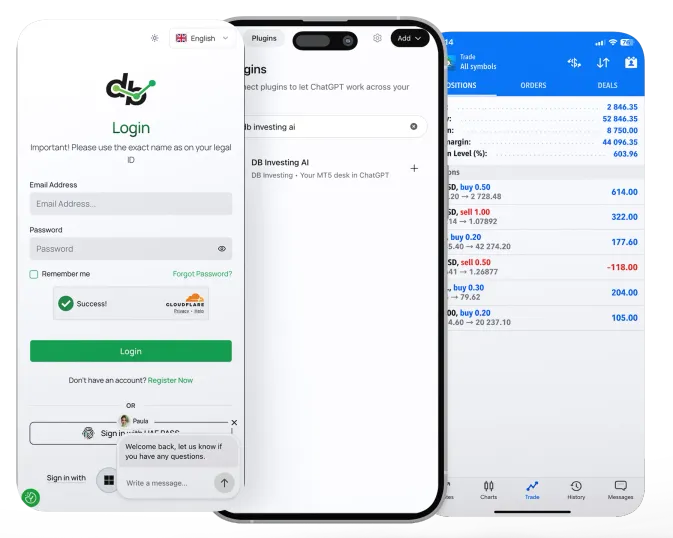
Sign in with your existing credentials, or open an account in minutes.
App availability depends on your plan and region.
Needed for account summaries, positions and equity-based trade plans.
Want the full experience? dbinvesting.ai adds multi-account trading, the Trading Desk and your AI trade journal.
Explore dbinvesting.aiDB Investing AI Plugin FAQ
It's an official DB Investing integration that brings DB Investing AI into ChatGPT and, soon, Claude. You can explore markets, analyse instruments and review your connected accounts in the same conversation.
DB Investing AI is available now in ChatGPT. A Claude integration is coming soon.
Open ChatGPT, go to Apps, search for DB Investing AI and select it. Then connect your DB Investing account to start.
The Claude integration is coming soon. Details will be shared here once it launches.
Yes. You connect the plugin by signing in with your DB Investing credentials. If you don't have an account, you can open one at dbinvesting.com.
You link your DB Investing account during initial setup, so you don't need to sign in each time you use the plugin. For security, you may occasionally be asked to reconnect.
No. You sign in through DB Investing's own login. Your password is not shared with the AI assistant.
No. DB Investing AI proposes ideas and structures analysis. Nothing reaches your MT5 account without your review and approval.
The plugin brings DB Investing AI into your AI assistant for quick access. dbinvesting.ai is the full platform, with multi-account trading, the Trading Desk and the AI trade journal.
No. Responses are informational only and are not recommendations. CFDs are complex instruments and carry a high risk of losing money rapidly due to leverage.
Find DB Investing AI in ChatGPT, connect once and explore the markets without switching platforms.