No juggling multiple tools
Charts, news, calendar and account data are pulled into one desk, not five separate ones.
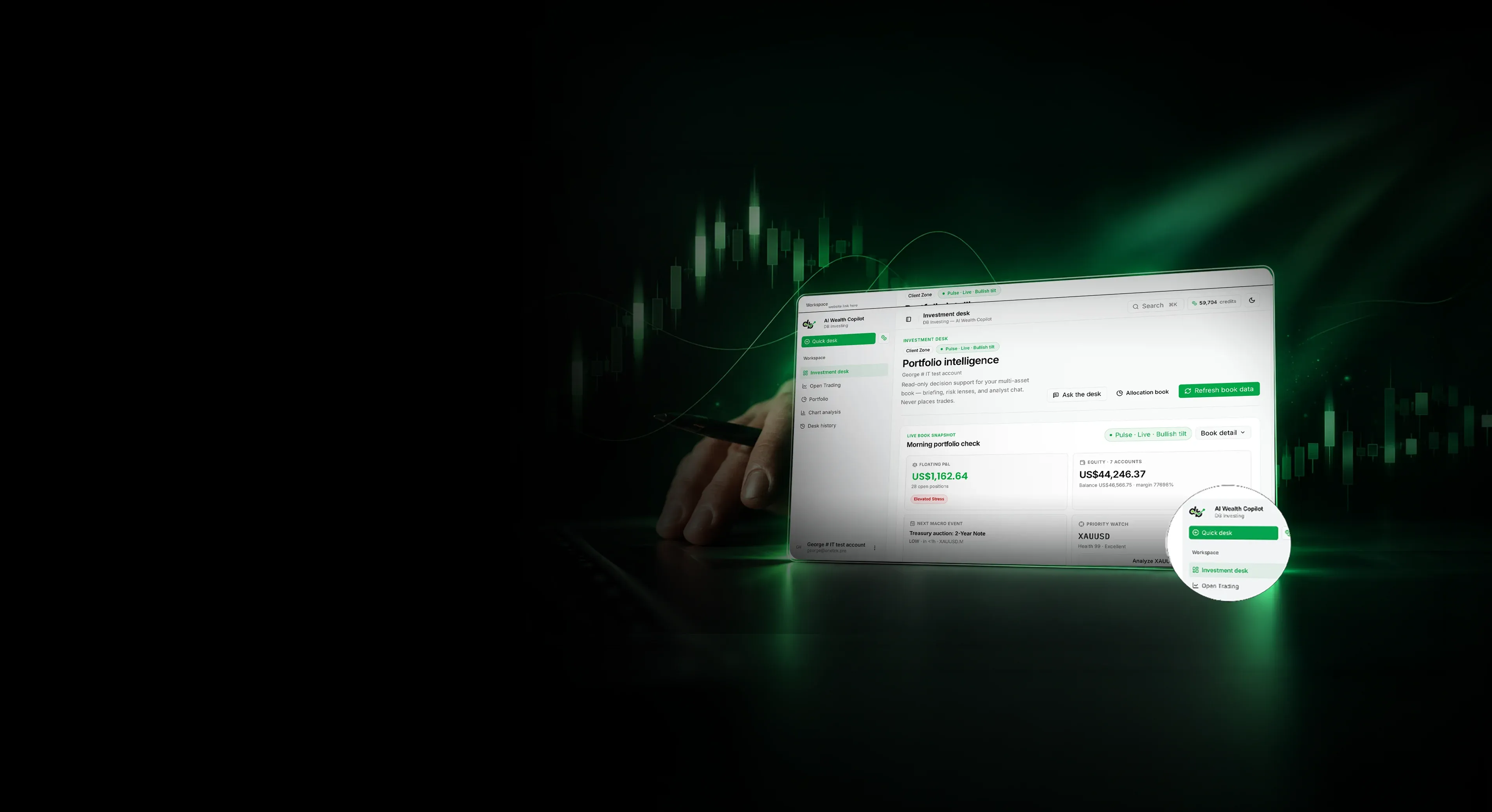
AI Wealth Copilot connects your trading activity with market intelligence and portfolio context, organised entirely around you.
Core capabilities
AI Wealth Copilot is a 24/7 AI agent built into your Client Zone. It connects to your live MT5 book and brings together portfolio health, risk insights, market briefings and AI-powered chart analysis in one place, instead of across a dozen disconnected tabs.
Live Book Snapshot
Daily Market Briefing
Account Health Score
Concentration Map & Position-Aware Alerts
Ask the Desk (AI chat analyst)
Chart Analysis
Portfolio Builder
Desk History
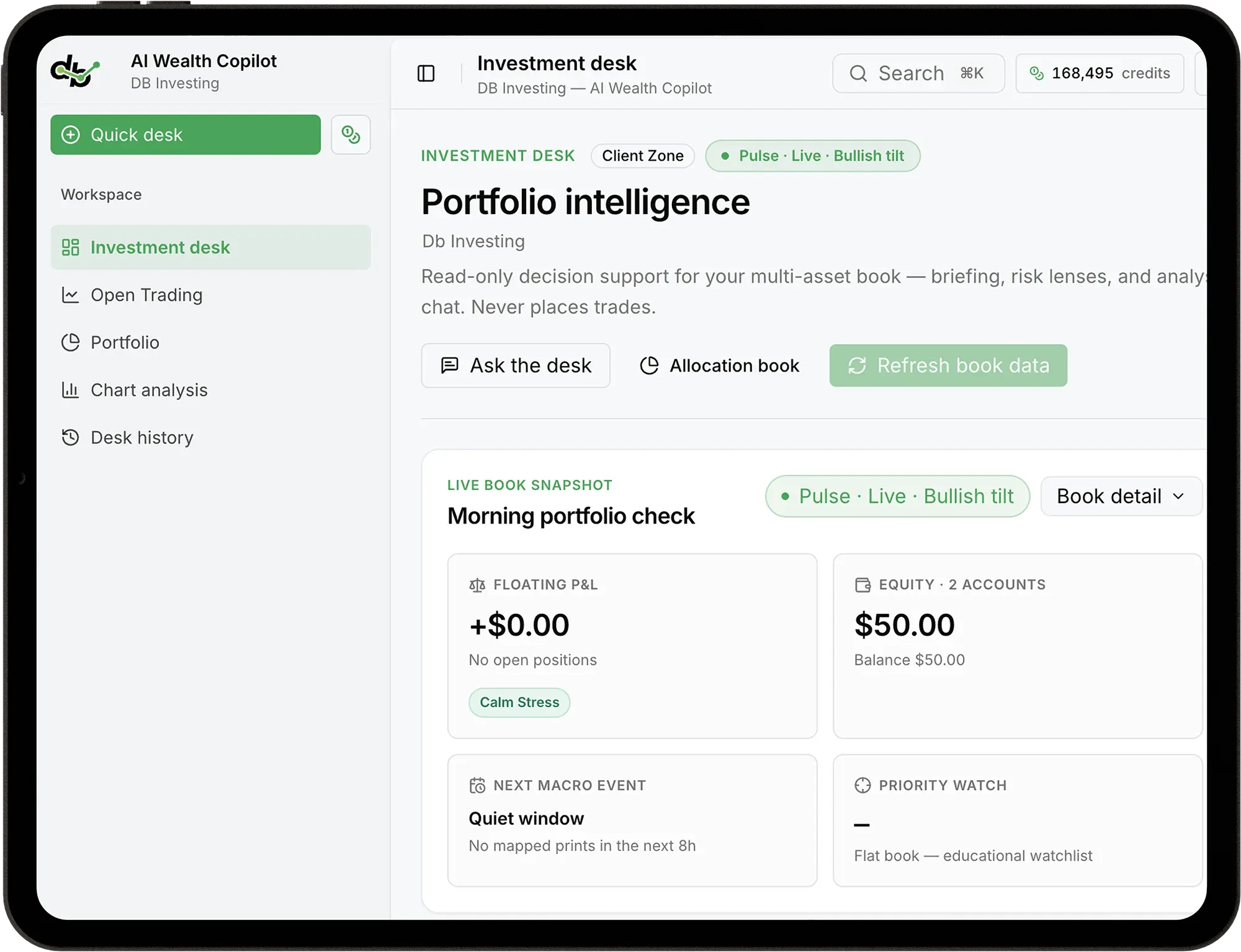
AI Wealth Copilot runs on DB Credits, with your balance always visible at the top of the screen.
How It Works
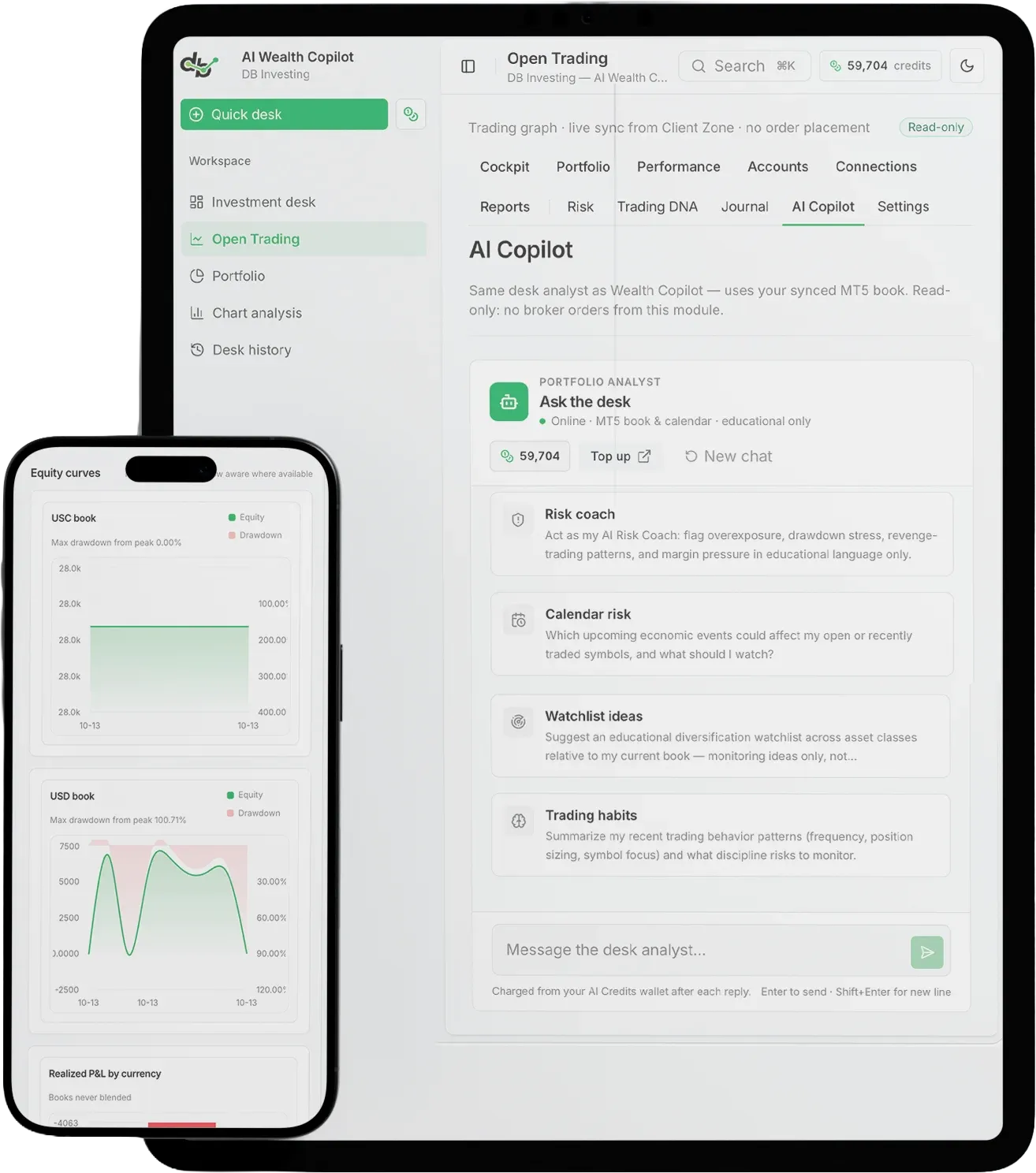
AI Wealth Copilot connects to your linked MT5 accounts to see your actual open book, not a generic market view.
It layers in news, economic events, charts and sentiment relevant specifically to the symbols you hold.
That context gets translated into plain-language analysis: a daily briefing, a health score, a chart read, or a direct answer to a question you ask.
Every insight is there to inform your next move. Nothing is placed, modified or closed on your account automatically.
All-In-One Hub
Most traders piece their picture together manually: charts on one screen, news on another, the economic calendar in a third tab, and account statements nobody has time to read properly. AI Wealth Copilot removes that friction.
No juggling multiple tools
Charts, news, calendar and account data are pulled into one desk, not five separate ones.
No generic market noise
Every briefing, alert and event is filtered through your actual open positions, so you only see what's relevant to you.
No manual calculations
Concentration, margin stress and trading patterns are combined into a single Account Health Score automatically.
Built into Client Zone
No separate login, no extra app. Open it from the AI menu in the account you already use.
No juggling multiple tools
No generic market noise
No manual calculations
Built into Client Zone
Charts, news, calendar and account data are pulled into one desk, not five separate ones.
Every briefing, alert and event is filtered through your actual open positions, so you only see what's relevant to you.
Concentration, margin stress and trading patterns are combined into a single Account Health Score automatically.
No separate login, no extra app. Open it from the AI menu in the account you already use.
Core capabilities
Track portfolio health, stay informed on markets and explore risk insights with AI-powered chart analysis.
Live Book Snapshot
Your morning check: floating P&L with a stress reading, equity, the next macro event, and your priority watch.
Account Health Score
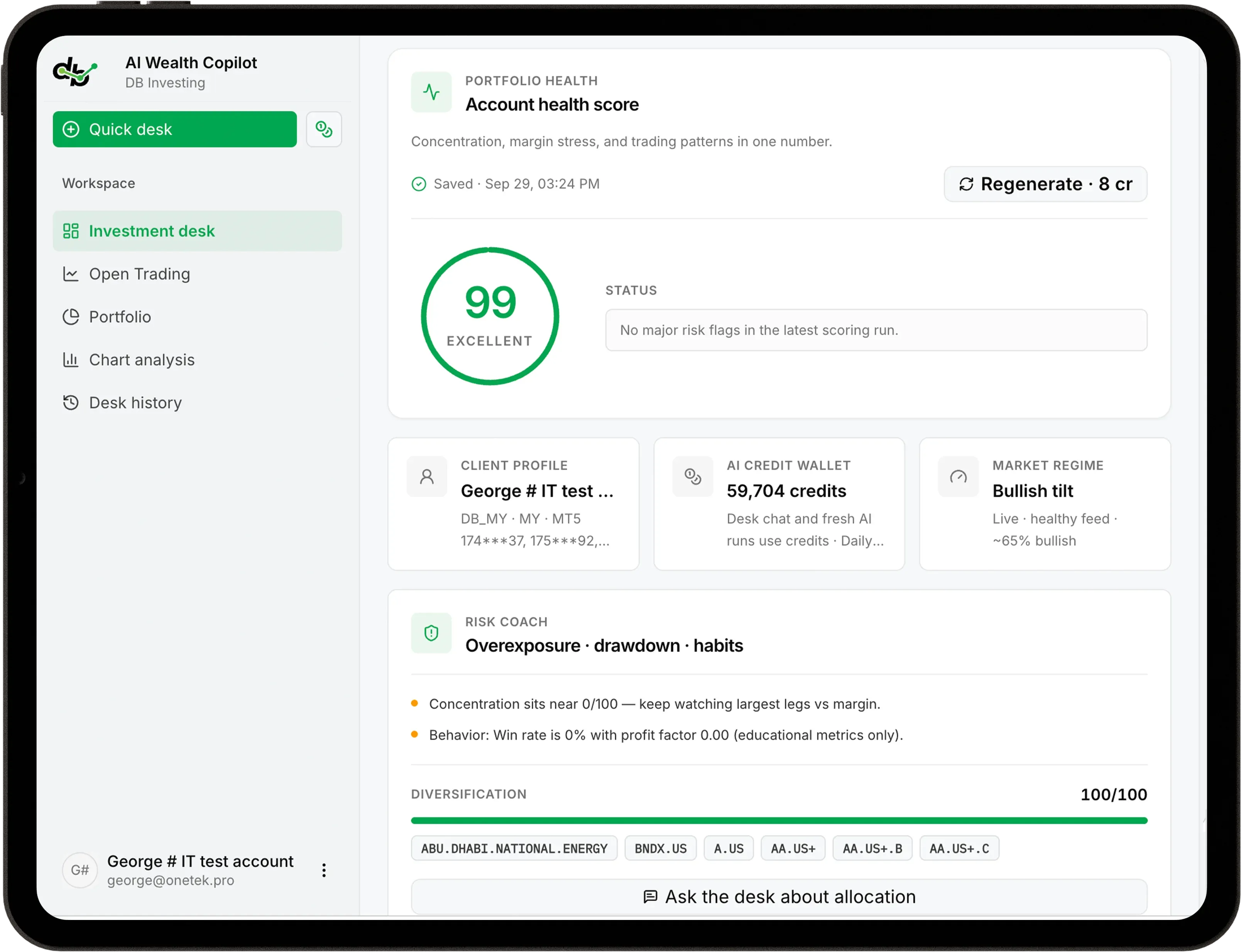
Concentration, margin stress and trading patterns, combined into one score.
Portfolio Builder & Desk History
Build and track a target-weighted allocation book, and revisit every past analysis exactly as it ran.
Today's Market Briefing
A daily briefing built from your own book and the news flow. Your first one each day is free.
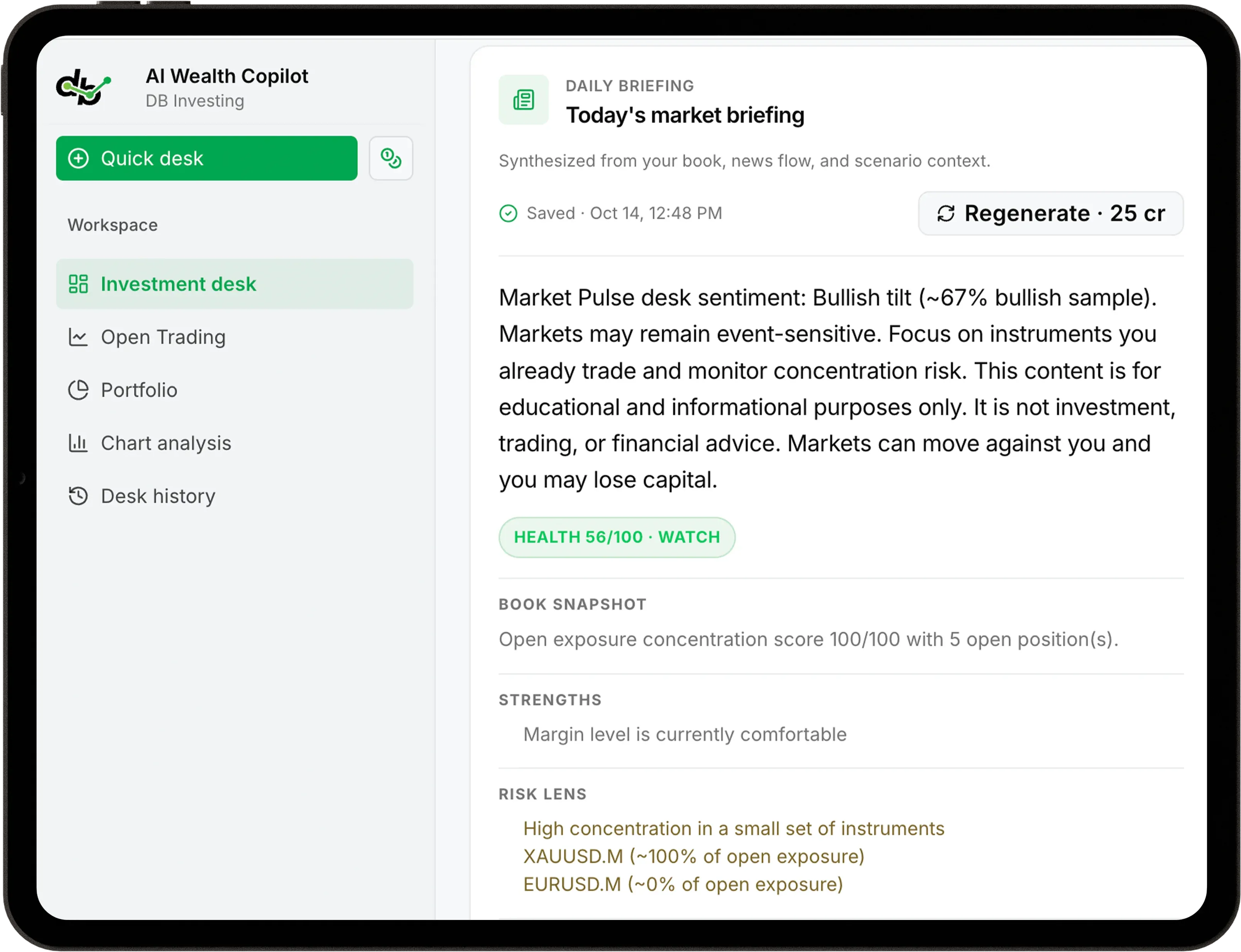
Concentration Map & Position-Aware Alerts
Your symbol weights scored for diversification, plus what matters in the next 8 hours, mapped to your open book.
Scenarios & Discipline Patterns
Base, upside and downside paths for your symbols, alongside a clear look at your own trading behaviour over time.
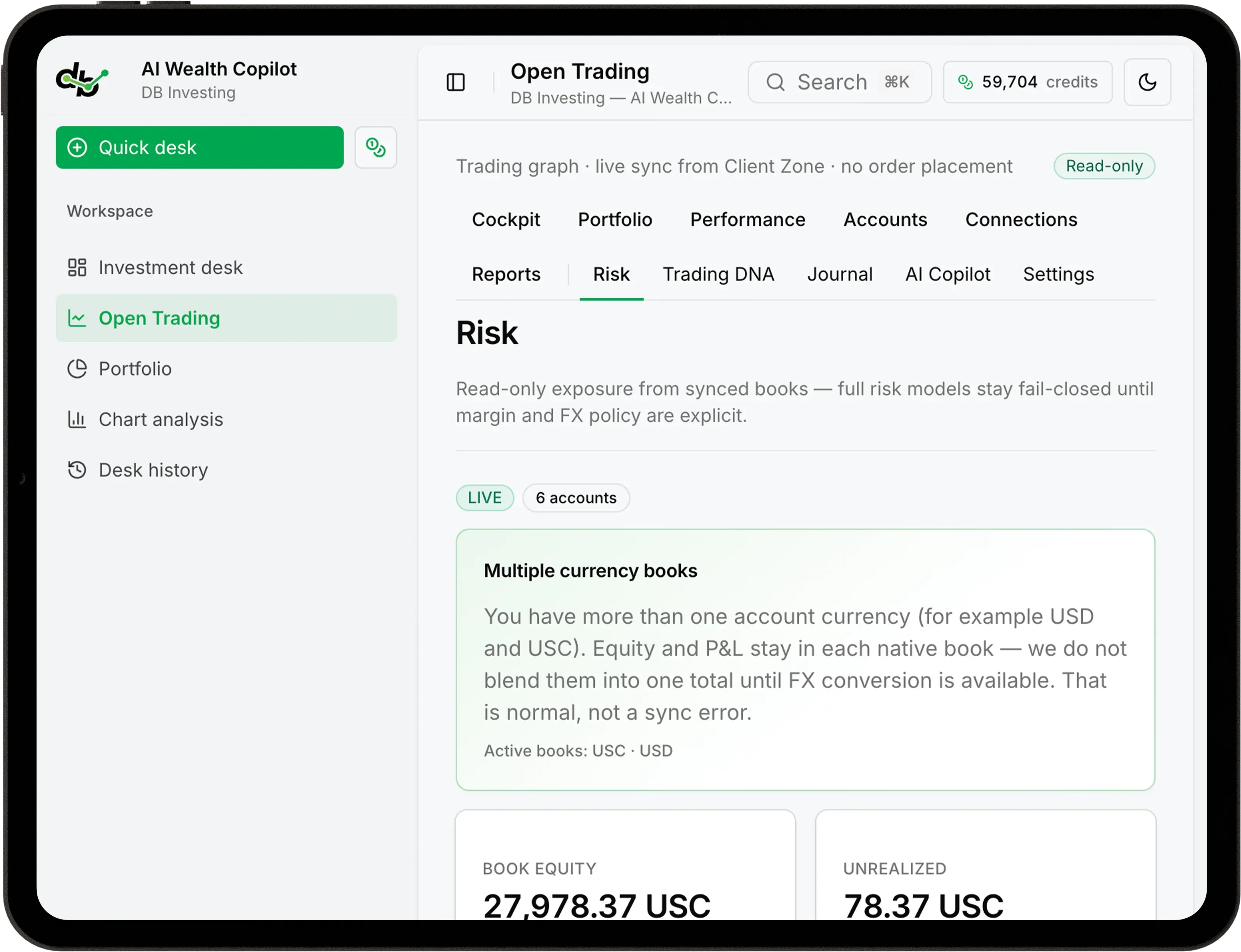
Ask the Desk
An AI chat analyst connected to your MT5 book and the economic calendar, for open questions or ready-made prompts.
Chart Analysis
Combine live market data and AI vision for a market bias, scenarios, and key levels drawn directly on your chart.
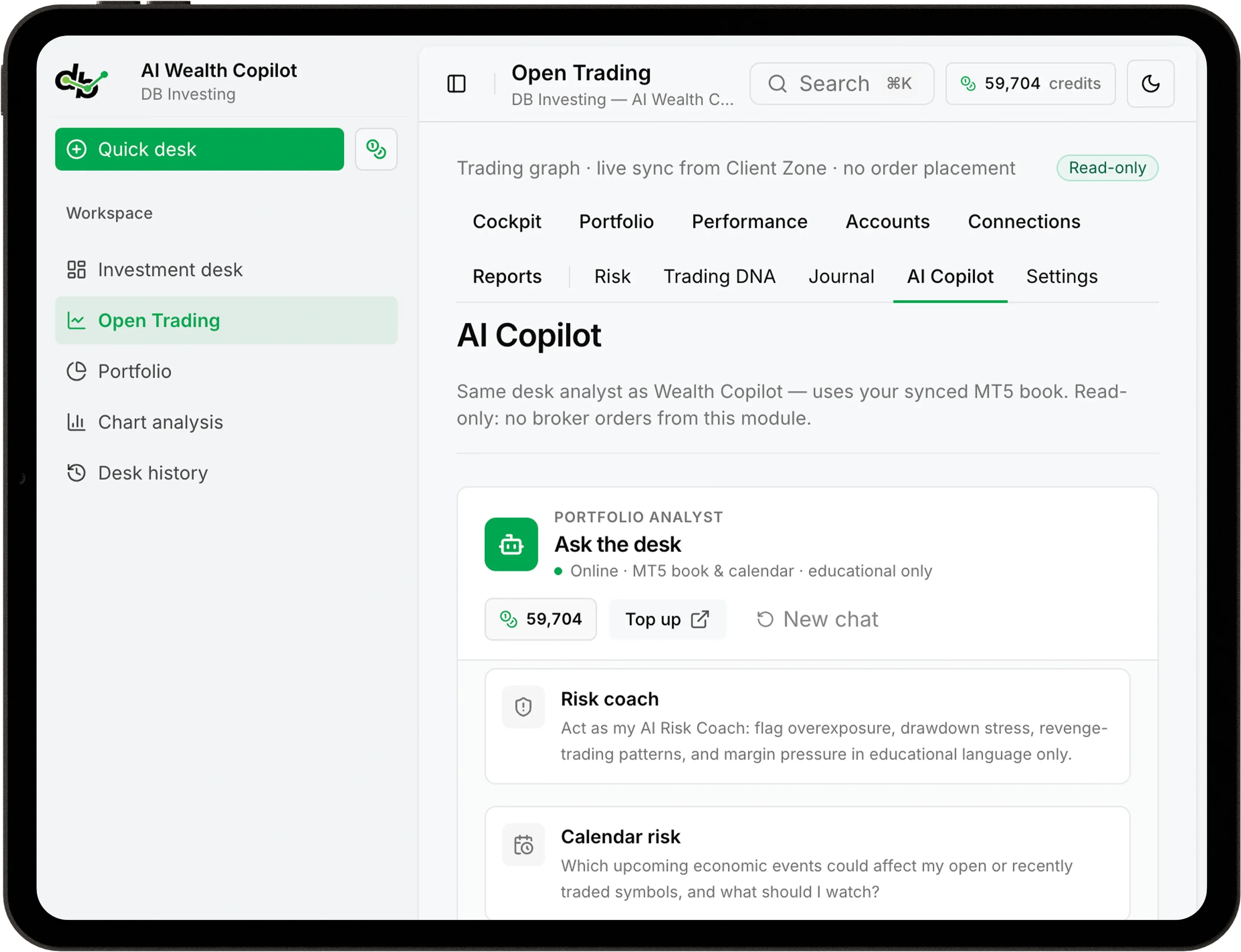
User Control
Intelligence is only useful if you trust it, and trust starts with knowing exactly what it can and can't do.

AI Wealth Copilot does not place, modify or close trades on your account under any circumstance.

Target weights aid in planning portfolio allocation and tracking progress, but do not execute trades.

It flags overexposure, drawdowns and revenge-trading patterns without intervening on your account.

Chart Analysis and Ask the Desk offer context to support your thinking, not signals to follow blindly.
AI analyses. You decide.
Dashboard Overview
Generate AI-powered reports, revisit saved insights and explore your portfolio—all from one investment desk.
Previously generated modules like your briefing or health score load at no cost.
New or refreshed analysis, like a fresh Chart Analysis or Ask the Desk query, draws from your DB Credits balance, visible at all times.
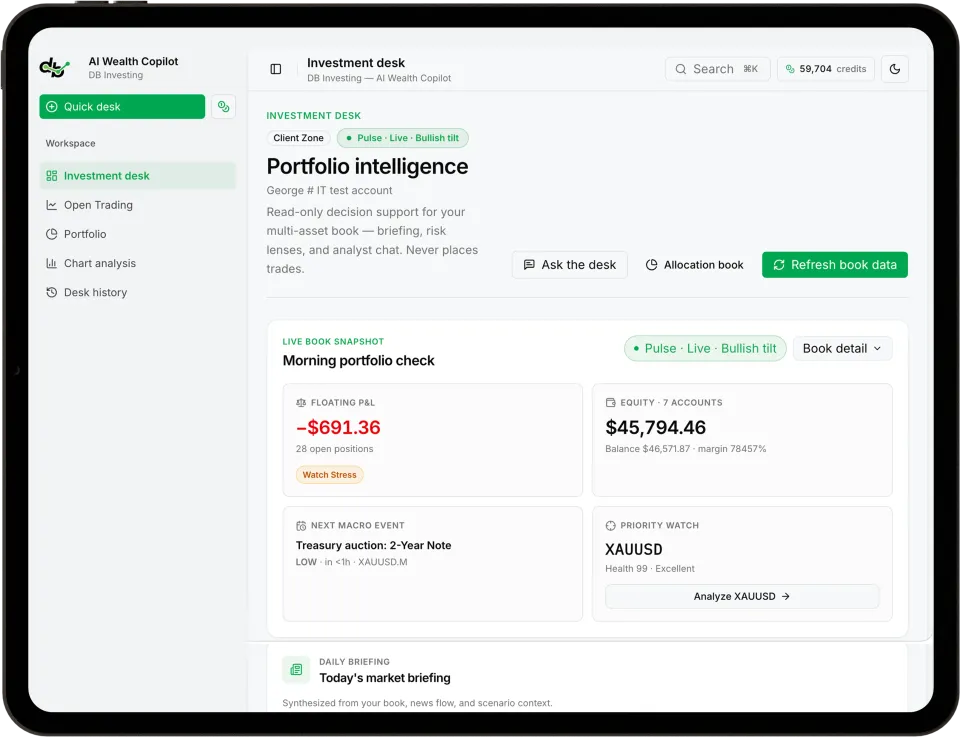
Refresh every module at once instead of regenerating them one by one.
Every chart analysis is saved and tied to your login, preserving the live feed, indicators and calendar context from the exact moment it ran.
Previously generated modules like your briefing or health score load at no cost.
New or refreshed analysis, like a fresh Chart Analysis or Ask the Desk query, draws from your DB Credits balance, visible at all times.
Refresh every module at once instead of regenerating them one by one.
Every chart analysis is saved and tied to your login, preserving the live feed, indicators and calendar context from the exact moment it ran.
Why DB Investing
Bring your portfolio, AI-powered insights and market analysis together in one connected workspace.
Analysis is built around your actual positions, not a generic market overview.
Portfolio health, briefings, risk, charting and an AI analyst, all in a single workspace inside Client Zone.
See exactly what's free and what costs credits before you run anything.
DB Investing operates through entities regulated by the FSA (Seychelles), FSC (Mauritius) and CMA (UAE), and registered with FINTRAC (Canada).
Core capabilities
Log in to your Client Zone, open AI Wealth Copilot, and explore your investment desk. Follow these three simple steps to access your daily briefing, ask questions, and analyse charts.
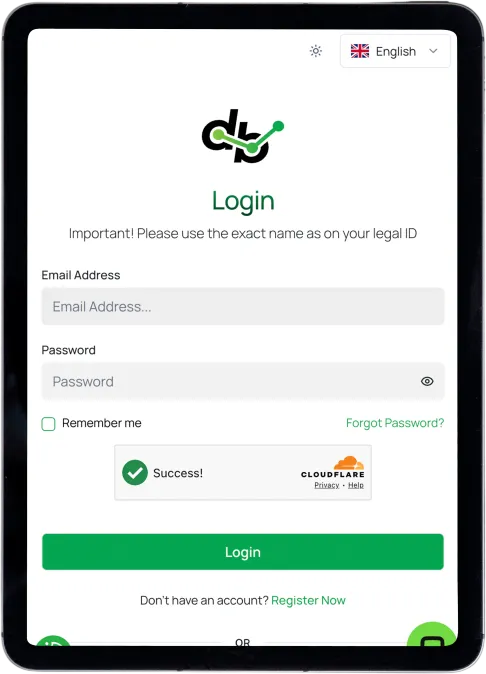
Sign in with your existing DB Investing credentials.
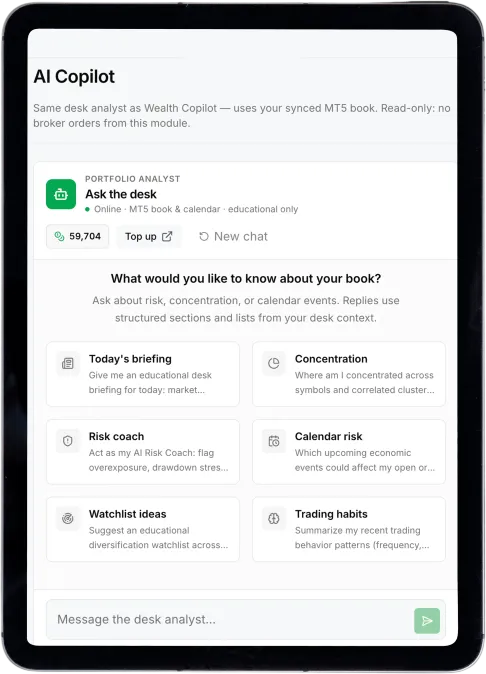
Select AI Wealth Copilot from the AI menu. It uses your DB Credits, shown at the top.
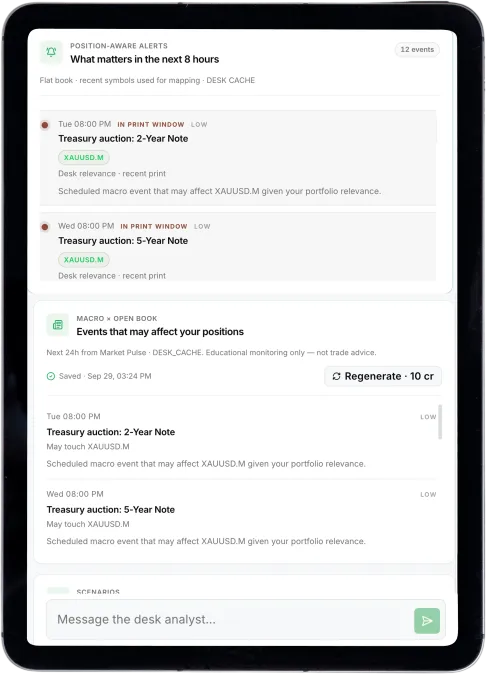
Run your free daily briefing, ask the desk a question, or start a Chart Analysis.
FAQ
AI Wealth Copilot is DB Investing's AI-powered investment desk, built into Client Zone. It connects your MT5 positions with market context and AI analysis, covering portfolio health, risk, briefings and chart analysis.
No. AI Wealth Copilot is read-only. It never places, modifies or closes trades on your account. All analysis is there to inform your own decisions.
AI Wealth Copilot runs on DB Credits. Saved modules load for free; credits are used only when you generate or regenerate analysis, such as a new Chart Analysis or Ask the Desk query.
An AI chat analyst connected to your MT5 book and the economic calendar. Ask it open questions about risk, concentration or upcoming events, or use a ready-made prompt.
Choose a symbol and timeframe, optionally add a chart screenshot, and ask a specific question. It combines live data and AI vision to return a market bias, supporting and contradicting scenarios, and key levels on your chart.
No. It's informational only, used to plan and track a target-weighted allocation book. It never executes a trade.
Yes. Desk History saves every chart analysis tied to your login, including the live feed, indicators and calendar context from the moment it ran.
Yes. AI Wealth Copilot connects to your linked MT5 accounts to provide position-aware analysis based on your actual book.
No. AI Wealth Copilot is educational and informational only. Markets can move against you and you may lose money. Always make your own informed decisions.
Log in to Client Zone, open the AI menu, and select AI Wealth Copilot. From there you can run your first briefing, try Ask the Desk, or start a Chart Analysis.
Open your AI Wealth Copilot and turn today's market moves into insight built around your own positions