
 Institutional Site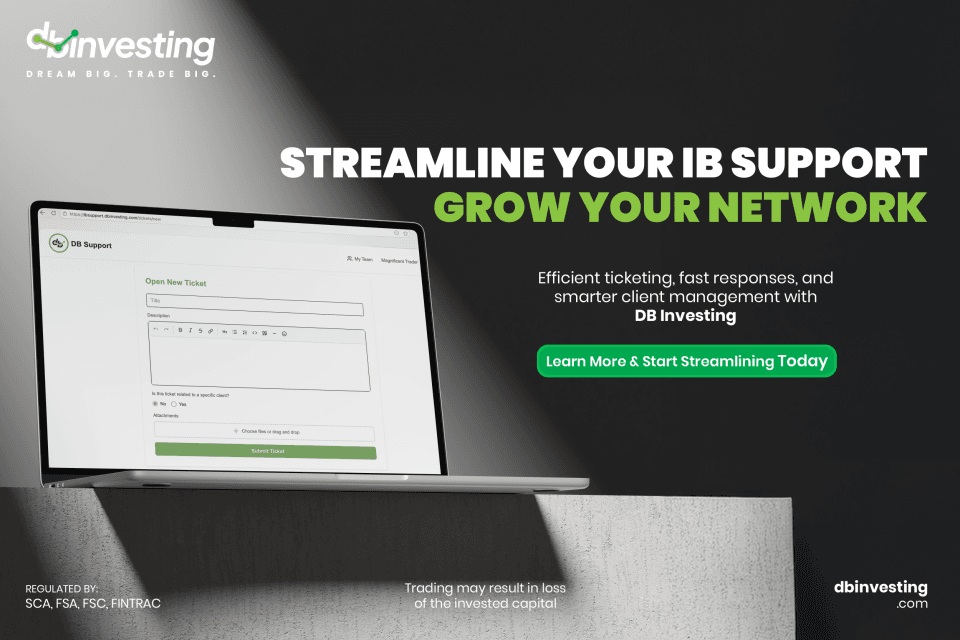
Efficient IB Support Ticket System for Growth
A support ticket system is like an orchestra conductor, making sure every instrument (or issue) is handled in harmony. It helps IB professionals manage client inquiries and problems efficiently, ensuring no client's concern is overlooked. By categorizing and prioritizing tickets, the system streamlines operations, shortens response times, and improves overall client satisfaction.
Why DB Investing's Ticketing System Stands Out
DB Investing's ticketing system excels because of its intuitive interface and robust features. It integrates smoothly with your current tools, creating a central point for all client interactions. This not only makes communication easier but also ensures that every query is handled quickly, preventing any oversight.
How to Submit an IB Support Ticket (Step-by-Step Guide)
Submitting an IB support ticket through DB Investing’s system is easy and efficient. Here’s how it works:
1. Log In to Your IB Dashboard
Begin by logging into your IB portal with your registered credentials. Once signed in, you will easily find the support section on the main menu.
2. Navigate to the “Support Tickets” Section
Click on Support and then choose Submit a Ticket. This opens the dedicated ticket submission page.
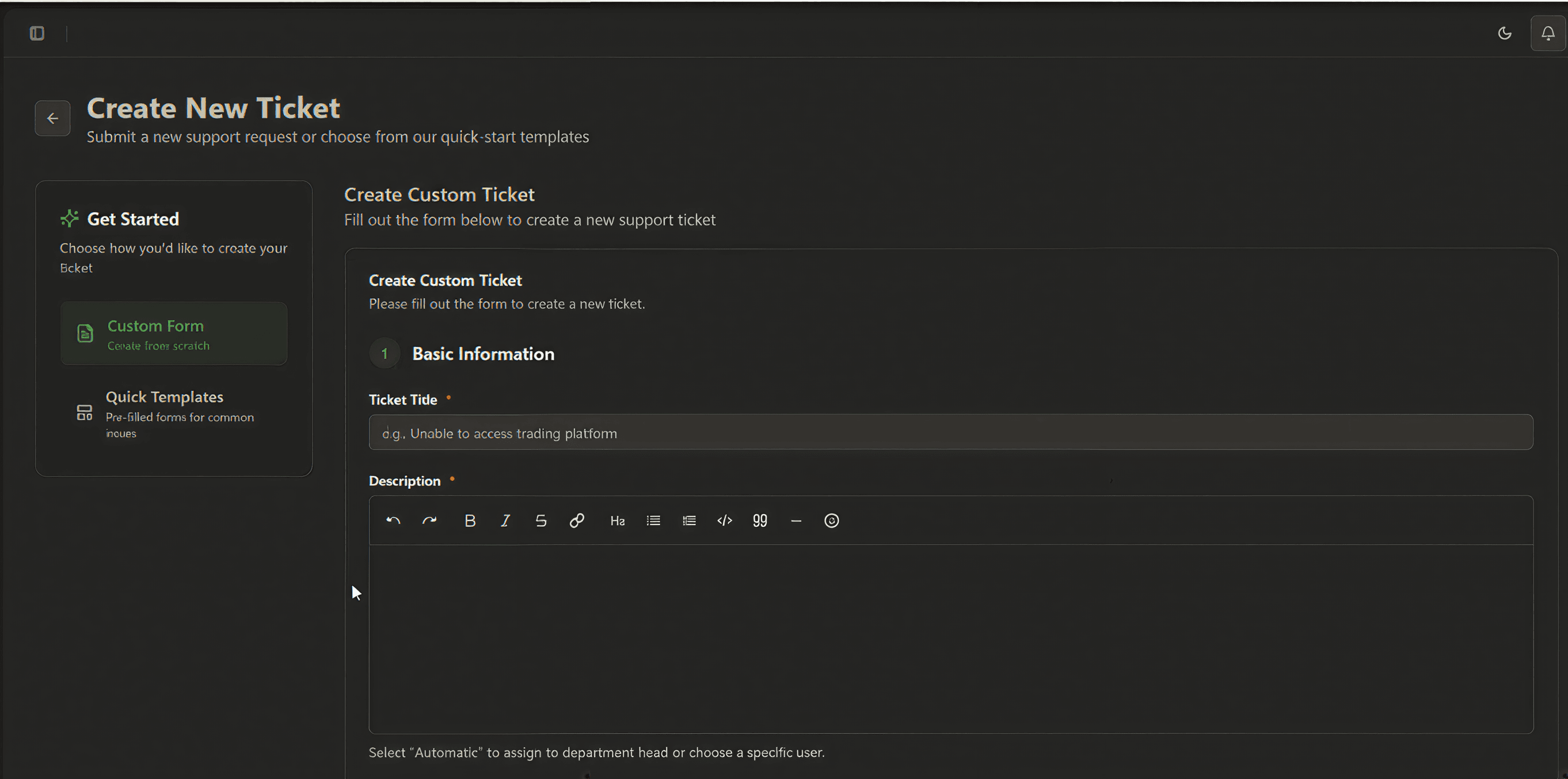
3. Choose the Ticket Category
Select the category that best matches your issue—whether it’s related to:
- Client onboarding
- Back-office requests
- Technical issues
- Payment or finance queries
- Compliance or documentation
Choosing the right category ensures faster routing and resolution.
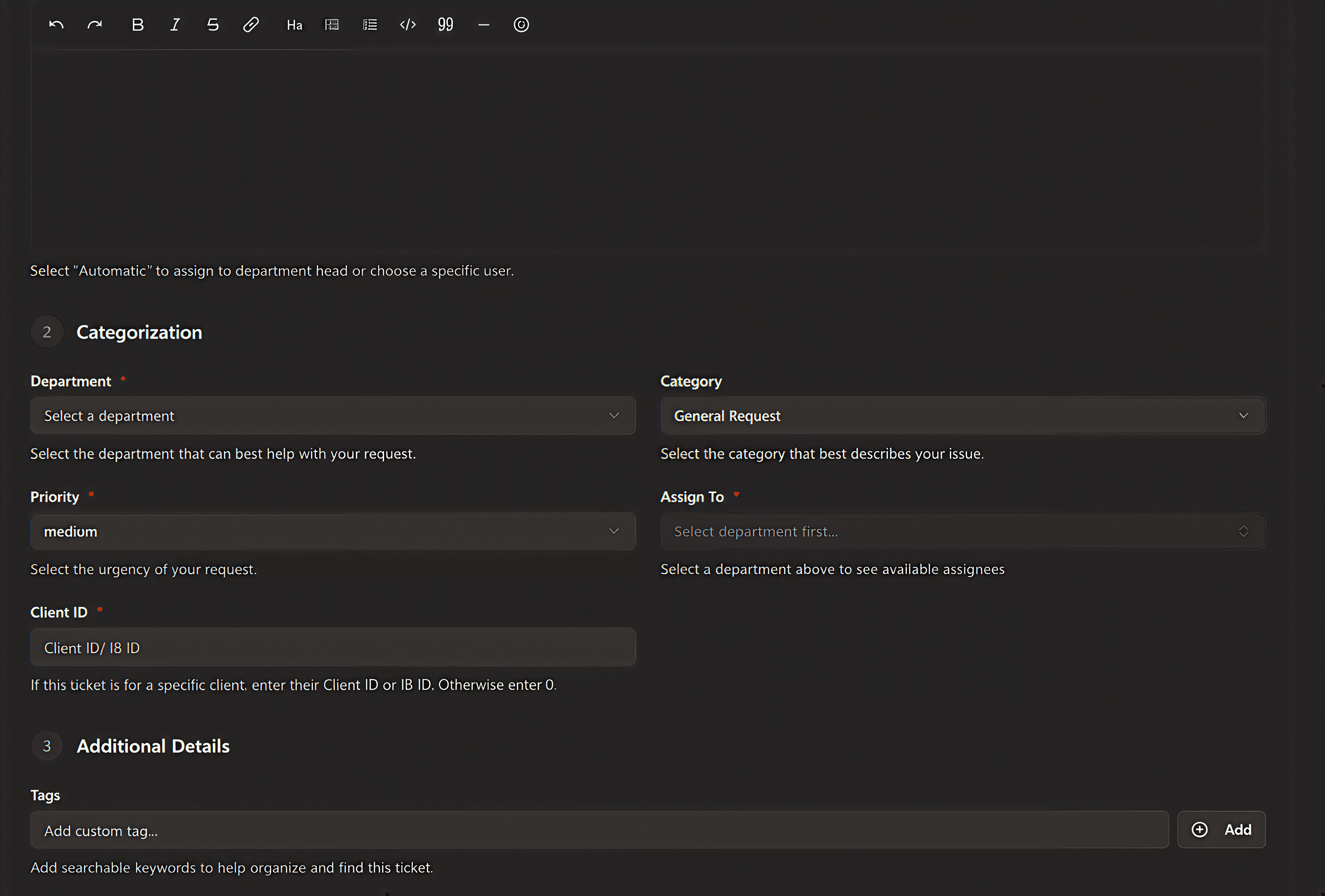
4. Fill in the Required Details
Provide the necessary information including:
- Client name or account ID
- Description of the issue
- Attachments or screenshots (if relevant)
- Priority level (Normal, High, Urgent)
Be as clear and specific as possible to help the backend team understand the issue quickly.
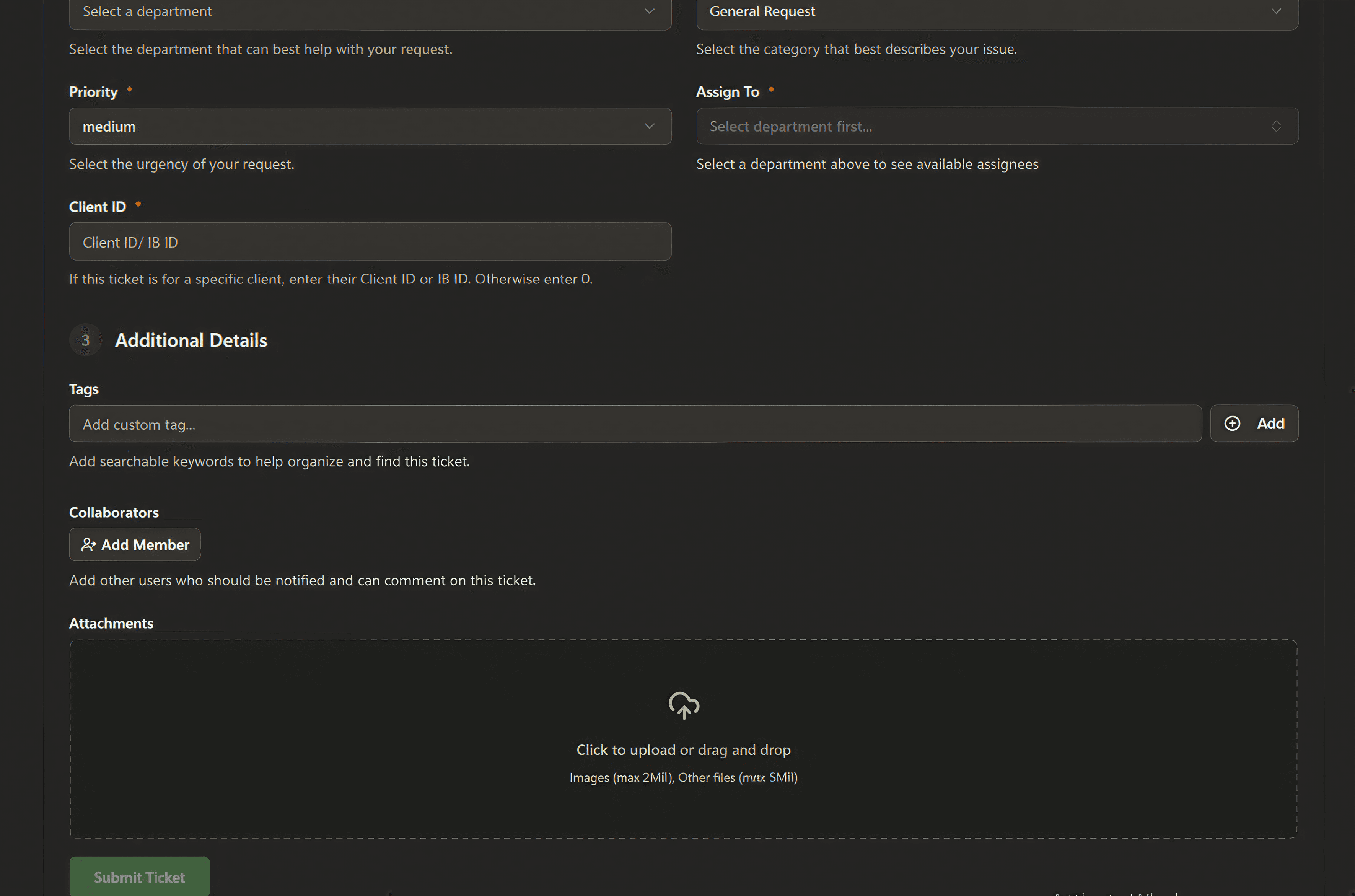
5. Submit the Ticket
Once all details are entered, click Submit. The system will instantly log your request and generate a Ticket ID for tracking.
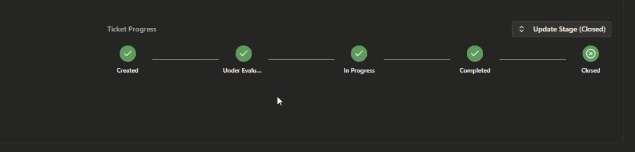
6. Track Ticket Status in Real Time
After submission, you can monitor the status updates directly inside your IB portal under My Tickets.
Statuses include:
- Open
- In Review
- Awaiting Client Info
- Resolved
- Closed
7. Communicate Directly With the Support Team
Each ticket contains a messaging thread, allowing you to reply, upload more files, or clarify details. This ensures transparent, centralized communication.
8. Receive Confirmation Upon Resolution
Once the issue is resolved, you’ll receive a notification, and the ticket will be marked Closed. You can then review the resolution or reopen it if needed.
Features of an Effective Support Ticket Software
When selecting support ticket software, consider these key features:
- User-Friendly Interface: Ensures ease of use for both clients and support staff.
- Customization Options: Enable adaptation to specific IB needs, ensuring relevance and effectiveness.
- Automation: Streamlines repetitive tasks, allowing more time for client relationship building.
- Analytics and Reporting: Offers insights into client interactions and support efficiency, promoting continuous improvement.
A well-chosen help desk system not only resolves issues but also acts as a strategic tool for client retention and satisfaction.
Maximizing IB Network Growth Through Efficient Processes
Efficient support processes form the foundation of a growing IB network. By using a sophisticated help desk system, you not only address issues more quickly but also foster trust and transparency with your clients. This trust leads to client loyalty, which ultimately promotes network growth.
The Role of Relationship Management Tools
Relationship management tools are the key to maintaining and strengthening client connections. By integrating these tools with your ticketing system, you can track client interactions over time, identify patterns, and proactively address potential issues. This proactive approach not only improves client satisfaction but also positions your brand as attentive and reliable.
Conclusion
In conclusion, implementing a robust IB support ticket system is not just about handling client complaints; it's about turning these interactions into opportunities for growth and relationship building. By integrating systems like DB Investing's ticketing tools, you can ensure efficient support processes that build trust and promote network expansion.
By combining technology with personalized client care, investment banks can address immediate needs and create lasting partnerships. As you review your support systems, keep in mind that the ultimate goal is to inspire confidence and satisfaction in every client interaction.
Remember, the key to successful client support is consistency and attentiveness—qualities that every IB professional should strive to embody